
How do I create a target group from previous campaigns?
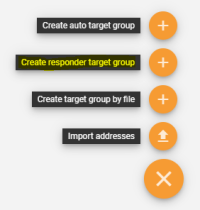
At Addresses > Lists you can create a target group out of previously delivered campaigns when using the option create responder target group. This allows you to, e.g., select all recipients who did not open, click, or buy anything in order to contact them with a reminder mailing.
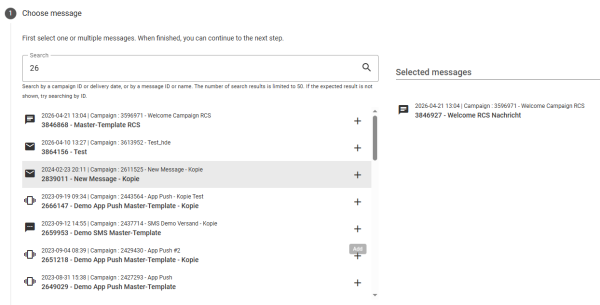
First, you must select all emails whose recipients you want to reselect. You can search by campaign ID, email ID, name, or send date. Up to 50 matching results will be displayed. Older emails and various formats (e.g., HTML, text, voice) can also be selected. Use the plus icon to add emails to the selection list on the right. Use the minus icon to remove them from the selection list.
In the second step, Define target group basis the base of the target group that is selected. Here you chose the category that describes the users who are supposed to be part of the new target group. For example, you may select all those who opened or clicked.
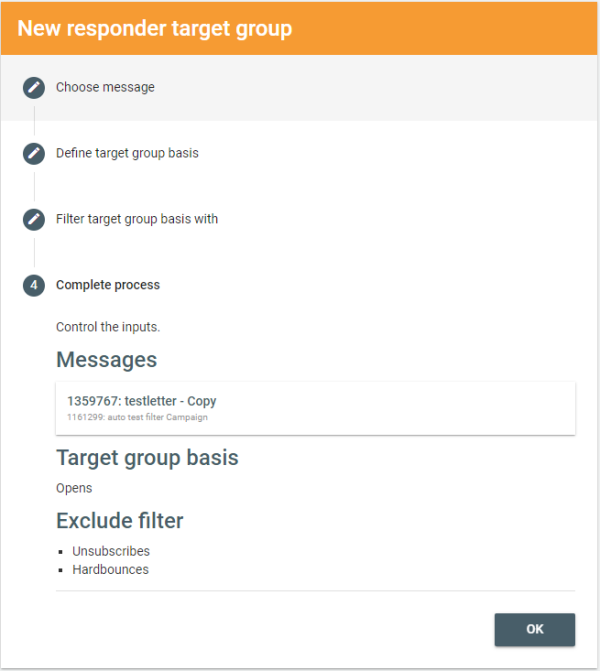
Choose the exclude filters in the third step called Filter target group basis. The exclude filters ‘subtract’ certain users from your target group. For example, you can exclude all leads. This way you select all those who clicked but did not order something.
The filters Unsubscribes and Hardbounces are pre-selected because these are usually not desired in a new target group. They would be excluded from a delivery anyway.
The creation of the target group can be tracked in the Job queue. When finished, the target group appears at Addresses > Lists.
Alternatively, you can go to the reporting of a campaign. Click on one of the key performance indicators to see more details about it below. On the right side above the performance timeline, there is a three-dot menu. Click here to save the selected responders as a new target group.
Watch a tutorial on how to create a target group of respondents:


