
en:global_search
This is an old revision of the document!
How do I use the global search?
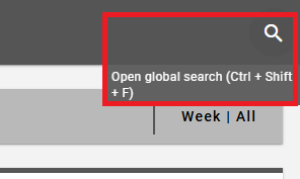
Click on the magnifying glass icon in the top right corner of the breadcrumb bar to perform a full-text search for IDs or the names of campaigns, messages, target groups or recipients. Relevant results are displayed quickly, significantly reducing navigation effort and search time.
The search results are clearly displayed in four tabs: Campaigns, Messages, Target Groups and Recipients. A maximum of 20 results are displayed per tab.
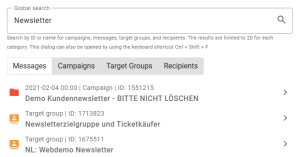
Clicking on a search result takes you directly to the relevant section of the system.
You can also open this dialogue using the keyboard shortcut Ctrl + Shift + F!
You can find a tutorial on using the global search here:
en/global_search.1776928268.txt.gz · Last modified: 2026/04/23 09:11 by bk
Except where otherwise noted, content on this wiki is licensed under the following license: CC Attribution-Share Alike 4.0 International


